
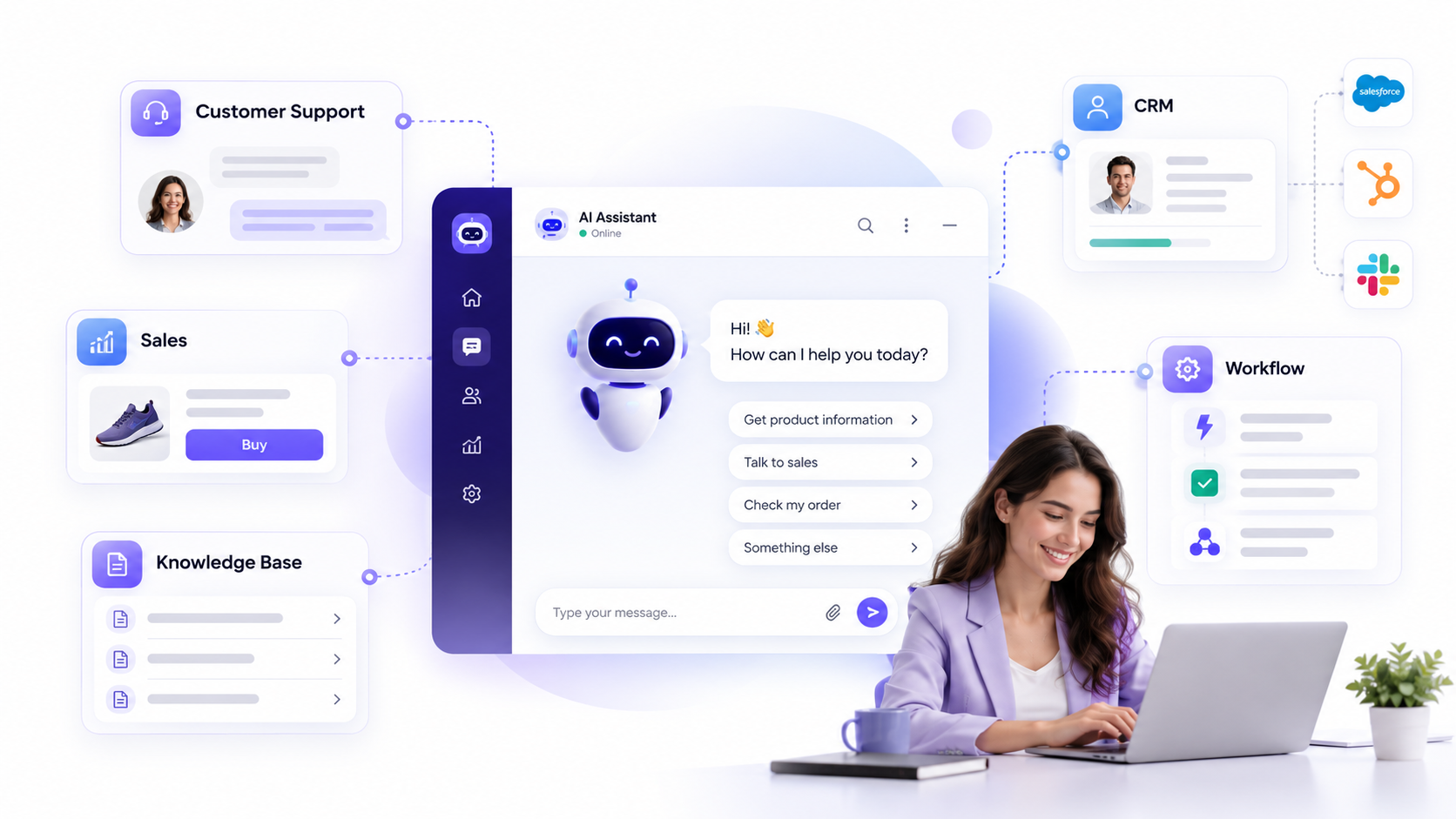
If you are asking what is an ai chatbot? It is software that uses artificial intelligence to understand natural-language messages and respond conversationally. Modern AI chatbots can answer questions, retrieve business information, qualify leads, guide customers, and sometimes trigger actions in connected systems.
For businesses, the important question is not whether a chatbot uses AI. It is whether the chatbot can reliably handle a useful workflow, use the right information, and know when a human should take over.
Key Takeaways
- AI chatbots use technologies such as natural language processing, large language models, and business knowledge sources to understand and answer user requests.
- The main types range from rule-based and intent-based bots to generative AI chatbots, hybrid systems, and action-enabled assistants.
- The best AI chatbot for business is designed around a specific workflow, reliable data, clear permissions, human escalation, and measurable outcomes.
What Is an AI Chatbot?
An AI chatbot is a software application that uses artificial intelligence to communicate with people through text or voice. Instead of relying only on fixed buttons or exact keywords, it can interpret what a user is trying to say and produce a relevant response.
That ability separates a modern conversational AI chatbot from many older website bots. A traditional bot might only recognize “refund.” An AI chatbot can usually understand “How do I get my money back?”, “Can I return this order?”, and similar variations as related requests.
Many current chatbots use a large language model, or LLM, to interpret language and generate responses. Business deployments add company instructions, approved knowledge, permissions, integrations, and guardrails so the chatbot stays focused on defined user journeys.
How Do AI Chatbots Work?
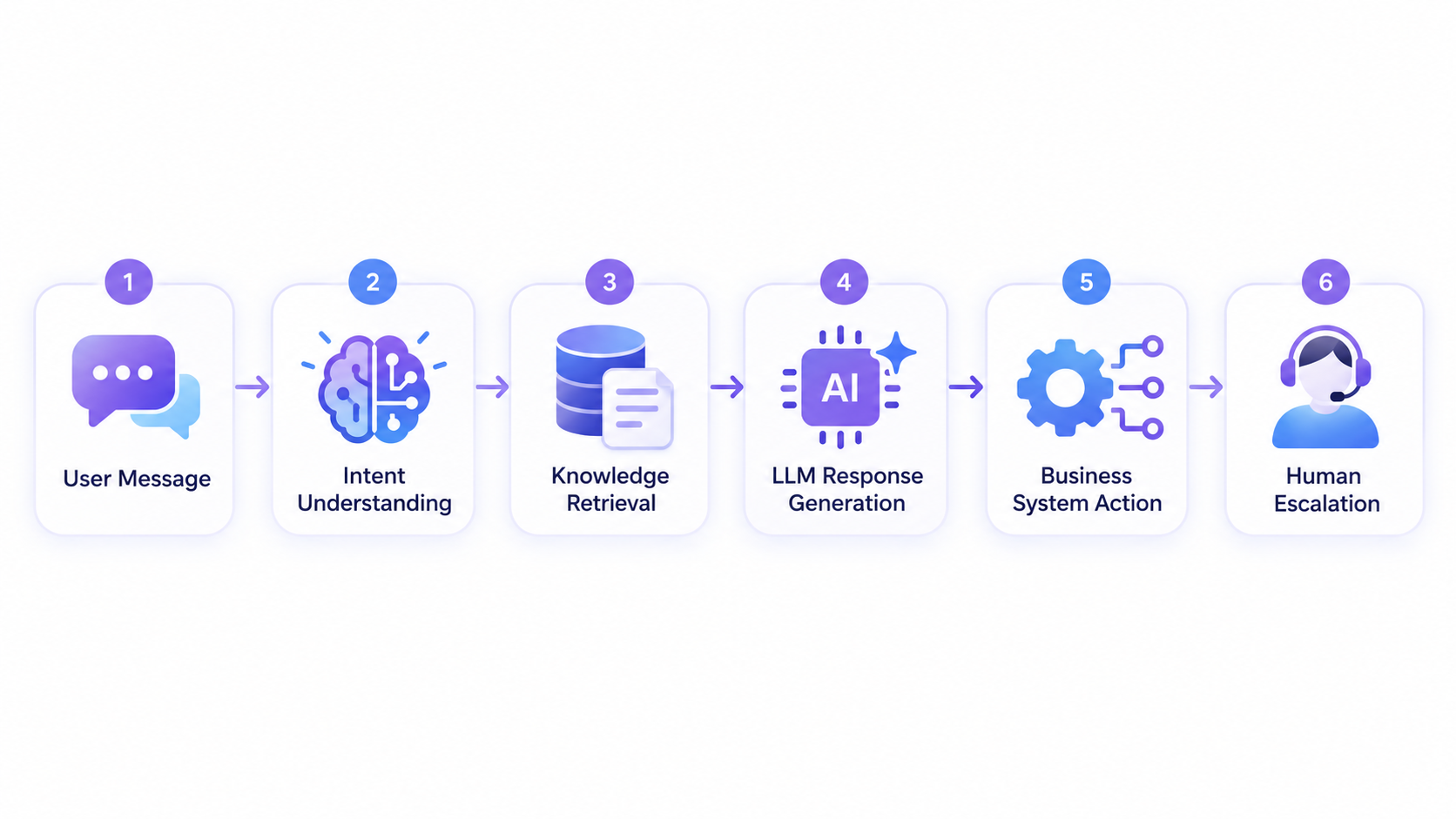
Most AI chatbots follow a practical sequence from user message to response. The technical architecture varies, but the workflow usually includes five core stages.
1. The chatbot receives the user’s message
A user enters a question through a website, app, messaging platform, or voice interface. The system may also capture useful context such as the current page, account state, or earlier messages.
2. AI interprets the request
Natural language processing and language models help the chatbot determine what the user means. It may identify intent, important entities, conversation history, and the type of task being requested.
For example, “Where is my order?” signals an order-status request. “Which plan is right for a 20-person team?” is closer to product guidance or sales qualification.
3. The chatbot retrieves relevant information
A business chatbot should not rely only on a model’s general training data. It may retrieve information from help articles, product documentation, databases, CRM records, policies, or other approved sources.
A common approach is retrieval-augmented generation, or RAG. RAG combines information retrieval with an LLM so the response can be grounded in relevant external knowledge rather than generated only from model memory.
4. The system generates or selects a response
The chatbot uses the retrieved context, system instructions, conversation history, and user request to produce an answer. Some systems generate free-form responses. Others combine generated language with approved templates or rule-based outputs.
5. The chatbot responds, acts, or escalates
A simple AI chatbot returns an answer. A more integrated chatbot may also create a ticket, update a CRM field, book an appointment, check order data, or hand the conversation to a person with the context attached.
Types of AI Chatbots Businesses Should Know
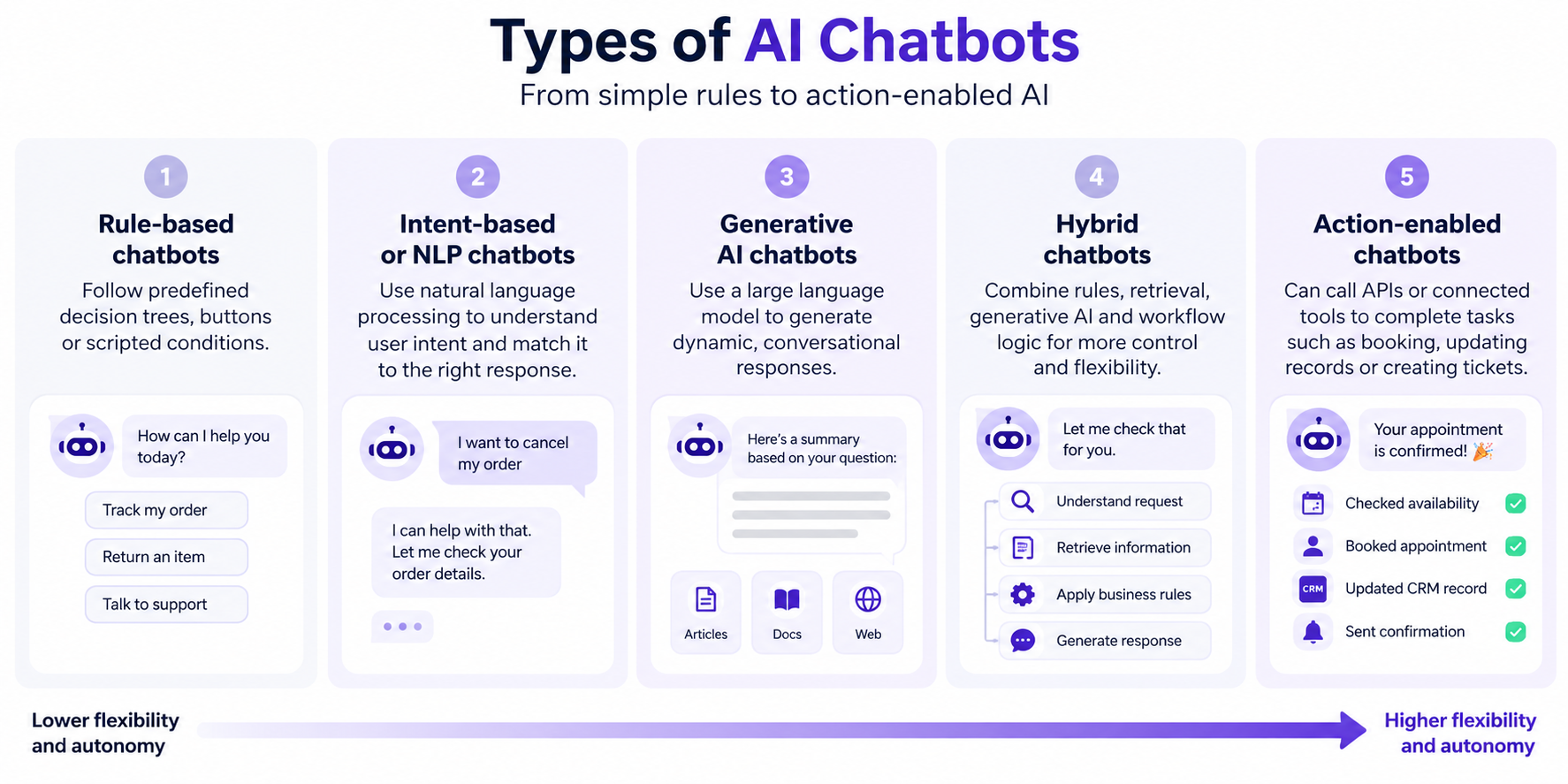
The types of AI chatbots are best understood by how much flexibility and autonomy they have. Not every business needs the most advanced option.
Rule-based chatbots
Rule-based bots follow predefined decision trees, buttons, or scripted conditions. They are useful when the conversation is highly predictable, such as choosing a department, checking basic eligibility, or navigating a simple booking flow.
They are easy to control but limited when users ask unexpected questions.
Intent-based or NLP chatbots
These systems use natural language processing to classify what the user wants, then match the request to a defined response or workflow. They handle wording variations better than simple keyword bots.
They work well for structured support environments with a known set of customer intents.
Generative AI chatbots
A generative AI chatbot uses an LLM to create responses dynamically. It can handle broader phrasing, follow conversational context, summarize information, and answer more open-ended questions.
For business use, generative responses should usually be grounded in approved company information and constrained by clear instructions.
Hybrid chatbots
Hybrid systems combine rules, retrieval, generative AI, and workflow logic. For example, AI can understand a request while a fixed rule decides whether it must be escalated.
Action-enabled chatbots
Some chatbots can call APIs or connected tools to complete tasks. They might schedule a meeting, update a lead record, check account data, or submit a support request.
Once a system can plan and execute broader multi-step actions with greater autonomy, it begins to overlap with AI agents rather than functioning only as a chatbot.
AI Chatbot vs Traditional Chatbot vs AI Agent
The chatbot vs AI agent distinction matters because conversational ability and task execution are not the same thing.
| System | Primary role | How it responds | Typical business use |
|---|---|---|---|
| Traditional chatbot | Follow predefined flows | Buttons, keywords, scripted replies | Routing, FAQs, simple forms |
| AI chatbot | Understand and answer natural-language requests | Dynamic or retrieved responses | Support, lead qualification, product guidance, internal help |
| AI agent | Complete goals across tools or systems | Plans and takes multi-step actions | Workflow execution, research, operations, complex task handling |
A chatbot may tell a customer how to change an appointment. An action-enabled assistant may change it after checking availability and permissions. The second system requires stronger integration, access controls, error handling, and auditability.
This is why AI chatbot development should begin with the workflow, not the label. Decide whether users need answers, guided actions, or true multi-step execution before choosing the architecture.
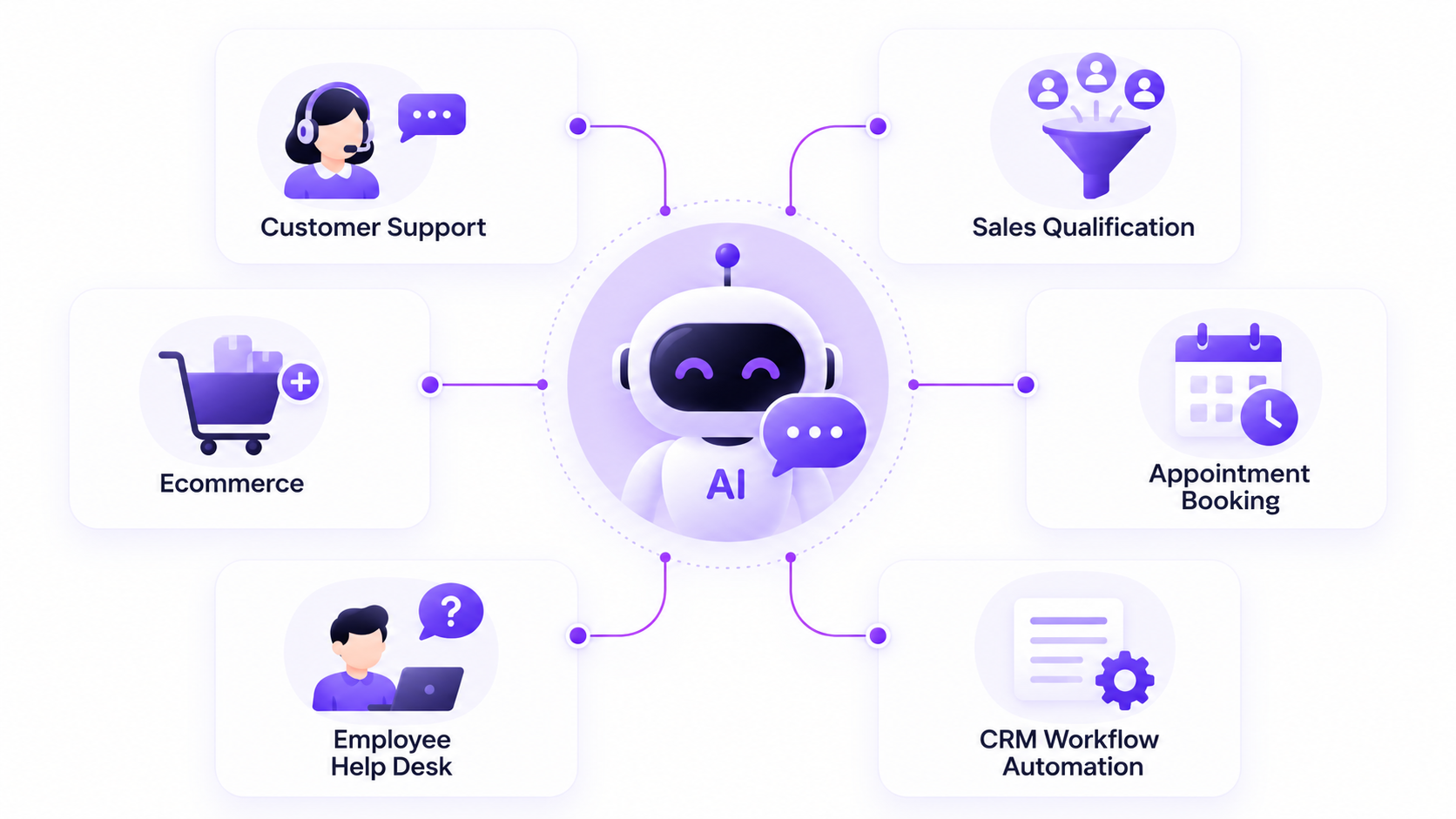
Business Use Cases for AI Chatbots
An AI chatbot for business is most useful when conversation is the natural entry point to a repetitive process.
Customer service and self-service support
An AI chatbot for customer service can answer common questions about policies, products, accounts, orders, and troubleshooting. It can also collect context before transferring a difficult issue to a human agent.
Lead qualification and sales support
A chatbot can ask prospects about needs, company size, budget range, urgency, or service interest. It can answer early-stage questions and pass structured information to a salesperson or CRM.
This is particularly useful when website visitors arrive outside normal sales hours.
Ecommerce product guidance
AI chatbots can help shoppers compare products, understand features, find relevant categories, and answer shipping or return questions. With the right integrations, they can also retrieve order status or inventory information.
Appointment and service intake
Service businesses can use chatbots to collect initial requirements, answer common booking questions, confirm basic eligibility, and route users toward scheduling.
A human should remain involved when the request is sensitive, unusual, or requires professional judgment.
Employee knowledge and internal support
Internal chatbots can help employees find HR policies, IT instructions, onboarding information, process documentation, and approved operational guidance.
This can reduce repeated internal questions while giving employees a faster path to the right source.
CRM and workflow handoffs
A chatbot can become the conversational front end for a larger automated process. After collecting information, it may create a lead, open a ticket, notify an owner, or update a record through connected systems.
That is where AI chatbot development and workflow automation often overlap.
Benefits of AI Chatbots
The benefits of AI chatbots come from handling repetitive conversations consistently and making information easier to access.
Businesses can use them to provide faster first responses, support users outside staffed hours, standardize answers, reduce repetitive manual work, and capture structured information before a human joins the conversation. Better handoffs can also reduce how often users repeat the same issue.
However, value depends on implementation quality. A fast chatbot that gives unreliable answers or blocks access to a person can create more friction than it removes.
Limitations and Risks to Plan For
AI chatbots can still produce incorrect answers, misunderstand context, expose the wrong information, or fail when an integration returns unexpected data. Generative systems also need controls for privacy, security, permissions, and inappropriate or unsupported requests.
For higher-risk workflows, define which answers can be automated, which actions require approval, what data the chatbot may access, and when a human must take over.
NIST’s AI Risk Management Framework emphasizes managing AI risks across design, development, deployment, use, and evaluation rather than treating safety as a final check.
Practical controls can include approved knowledge sources, authentication, access limits, response testing, escalation rules, logging, human review, and regular evaluation of failed conversations.
How to Decide Whether Your Business Needs an AI Chatbot
Start with one high-volume conversation that has a clear purpose. Good candidates are repetitive questions, lead intake, order or account lookup, appointment requests, internal knowledge access, or structured support triage.
Then ask five questions:
- What exact user problem should the chatbot solve?
- Which information sources must it trust?
- Does it only need to answer, or also take actions?
- Which situations require human approval or escalation?
- How will you measure whether the experience is actually useful?
If the workflow is repetitive, information-rich, and easy to evaluate, a focused chatbot can be a strong automation candidate.
FAQs
What is the main difference between a chatbot and an AI chatbot?
A traditional chatbot usually follows predefined rules, keywords, or decision trees. An AI chatbot can interpret natural language, handle more varied phrasing, use conversation context, and generate or retrieve more flexible responses.
Can an AI chatbot connect to a CRM or other business systems?
Yes. With appropriate APIs and permissions, a chatbot can read or update approved data in CRMs, support tools, scheduling platforms, databases, and other systems. The integration should include access controls, validation, logging, and error handling.
Does every business need a generative AI chatbot?
No. Simple, predictable workflows may work better with rules or forms. Generative AI is most useful when users ask questions in varied language, need contextual answers, or interact with a large knowledge base.
Build the Chatbot Around the Workflow
Understanding what is an AI chatbot? is only the first step. The bigger decision is what conversation you want to improve, what information the system can trust, and how much action it should be allowed to take.
For businesses moving from a basic chat widget to a reliable operational assistant, focused AI chatbot development can connect conversation, business knowledge, integrations, and human oversight into one practical workflow. Start with one clear use case, measure it, and expand only when the first workflow is working well.